Latest Blogs
Stay updated with our latest blog posts.


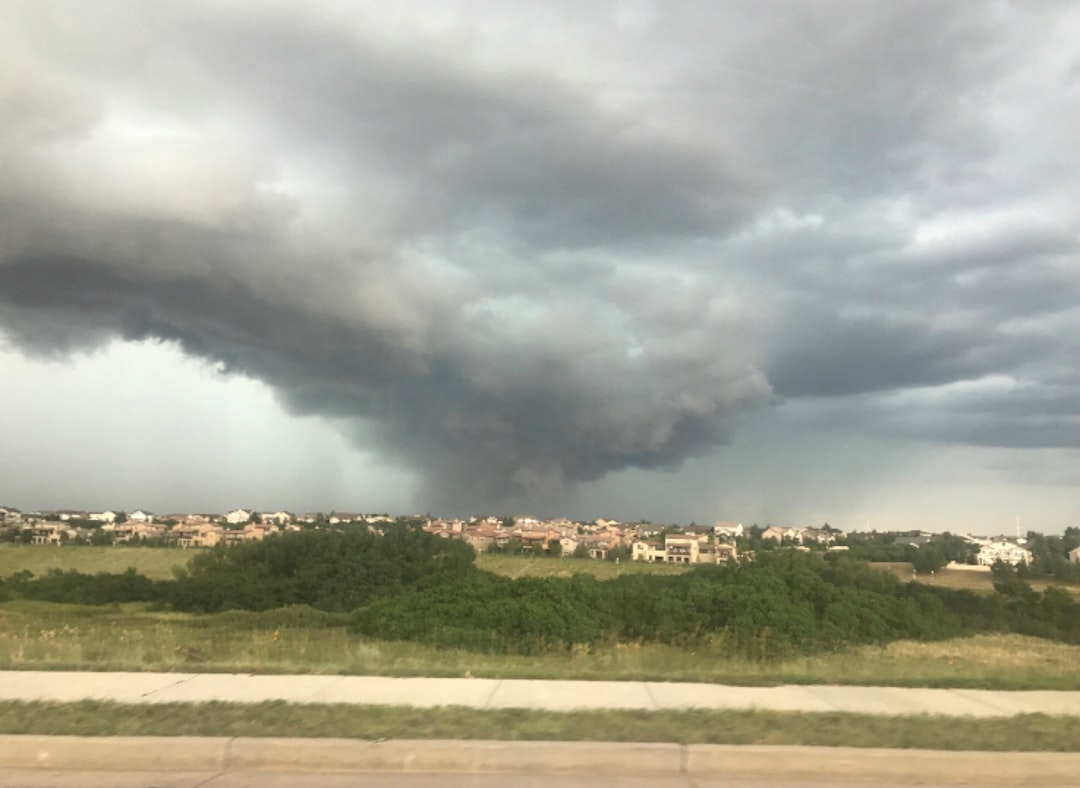

Knowing what to check on your HVAC after a power outage could be the difference between a quick restart and a major system breakdown. When the lights come back on in Castle Rock or anywhere across the Denver Metro, the instinct is to crank the AC or heat right away — but that rush is exactly what damages systems most.
Here is a quick-reference checklist to get you started:
Power outages are common across Colorado, where severe storms, high winds, and sudden temperature swings can knock out electricity with little warning. The real danger to your HVAC system is not the outage itself — it is the surge of unstable electricity that rushes back through the grid the moment power is restored. That spike can blow capacitors, fry control boards, and lock up compressors before your system even finishes its first cycle.
For a deeper look at how Colorado's weather patterns put HVAC systems at risk, see our guide on How Colorado Storms Affect Your HVAC System.
The five steps below walk you through the full safe restart process — from waiting out grid instability to spotting hidden surge damage — so you can protect your system and know exactly when it is time to call in a professional.
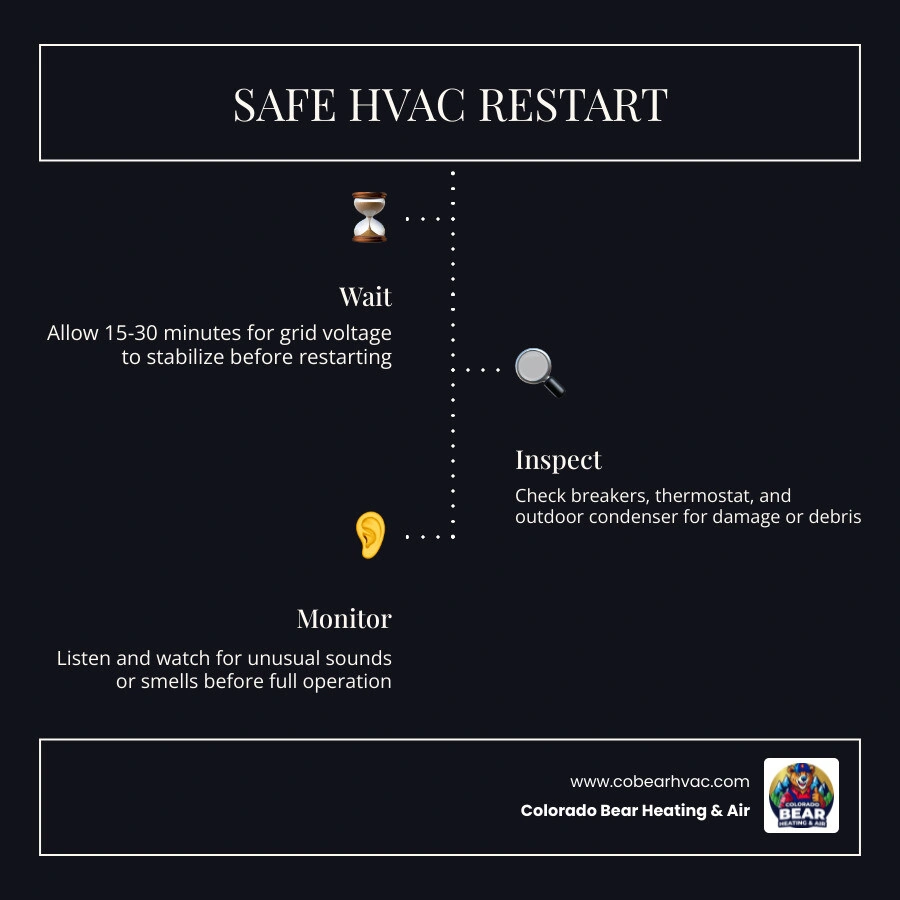
When your power blinks back on after a summer storm in Littleton or a heavy winter freeze in Monument, taking a methodical approach prevents further strain on your heating and cooling equipment.
The single most common mistake homeowners make is turning their air conditioner or furnace back on the very second the lights flicker to life. In the first 15 to 30 minutes after power restoration, the electrical grid is highly unstable. You might experience minor voltage fluctuations, brief brownouts, or secondary surges as the utility company balances the load.
Modern heating and cooling systems rely on sensitive electronic circuit boards and variable-speed components that do not tolerate irregular voltage. Additionally, restarting an air conditioner immediately can force the compressor to start against high head pressure, leading to mechanical strain. Waiting at least 15 to 30 minutes allows:
Keep your thermostat set to "OFF" during this waiting period to ensure your system remains isolated from early grid fluctuations.
Once the grid has settled, your next stop is the main electrical panel. Power surges during an outage or upon restoration frequently trip breakers to protect your home's wiring.
To safely check and reset your breakers:
The Single Reset Rule: If the breaker instantly trips again, do not try to reset it a second time. A repeatedly tripping breaker indicates a direct electrical short, a failed capacitor, or a locked compressor. Forcing it to stay on can cause permanent damage or pose a severe fire hazard. If you find yourself in this situation, learn more about your next steps in our guide on What to Do When Your HVAC Breaks Down Unexpectedly.
With power restored to the system, turn your attention to the thermostat. If you are greeted by a blank screen, don't panic.
If the power outage was caused by a storm, heavy winds, or falling branches, a physical trip outdoors is mandatory before starting up your air conditioner or heat pump.
With all visual and electrical checks complete, switch your thermostat to your desired mode and setpoint. Stand near the indoor air handler or outdoor unit for the first few minutes of operation.
If you hear or smell anything unusual, turn the system off immediately at both the thermostat and the breaker panel.
When high voltage rushes down the power lines after an outage, it seeks the path of least resistance. In modern HVAC systems, this path often leads straight through delicate electrical components.
The table below outlines the most common parts damaged by post-outage surges and how to spot their symptoms:
| Damaged Component | Primary Function | Common Surge Symptom |
|---|---|---|
| Run Capacitor | Delivers the electrical boost needed to start the fan and compressor motors. | Outdoor unit hums but the fan doesn't spin; top of capacitor looks swollen or bulged. |
| Control Board | The "brain" of the system that coordinates heating, cooling, and safety checks. | Blank thermostat screen; unresponsive system; burning smell from the unit; diagnostic error codes. |
| Compressor | Pumps refrigerant through the system to heat or cool your home. | Circuit breaker trips immediately upon startup; outdoor unit makes a loud groaning sound but fails to cool. |
| Blower Motor | Circulates conditioned air through your home's ductwork. | Thermostat indicates the system is running, but no air flows from your supply vents. |
If you suspect any of these components have failed, it is critical to shut down the system and schedule a diagnostic visit. For more information on identifying these critical situations, read our guide on When to Schedule Emergency HVAC Repairs.
Electrical failures can be subtle. A power surge can weaken a capacitor without fully killing it, leading to a slow decline in performance over the following weeks. This is why routine professional inspections are so valuable. Catching a weak capacitor early prevents it from failing on a hot afternoon and overloading your expensive compressor motor. Investing in Routine HVAC Repair Saves Money Long-Term by catching these hidden electrical weak points before they turn into major system breakdowns.
The best way to handle power surges is to stop them before they ever reach your equipment.
Combining surge protection with regular maintenance is your best defense against unexpected storm damage. To keep your system in top shape year-round, check out our guide on How to Prevent HVAC Emergencies with Maintenance.
If your air conditioner runs but blows warm air, or won't turn on at all, several safety or electrical issues could be at play:
Keeping your system clean and well-maintained helps ensure these components are resilient. Read more about the AC Maintenance Key Benefits to see how regular care keeps your system running smoothly through unexpected power events.
Absolutely not. If your outdoor condenser or indoor air handler was exposed to standing water during a heavy storm, do not turn it on. Water can bridge electrical connections, causing short circuits, ruined motors, and a severe risk of electrical shock.
Furthermore, moisture trapped inside ductwork or system cabinets can support mold growth in as little as 24 to 48 hours. Always have a certified technician inspect, clean, and dry the electrical compartments before restoring power. For safety advice during heating-specific emergencies, refer to our article on How to Stay Safe During a Heating Emergency.
If your HVAC breaker trips immediately after you reset it, stop trying to reset it. This is a clear warning sign of a serious electrical fault, such as a shorted blower motor, a failed compressor, or damaged wiring. Repeatedly resetting a tripping breaker can cause electrical fires or permanently ruin your system's compressor. Keep the breaker off and call an HVAC professional immediately.
A power outage is always an inconvenience, but with a little patience and a methodical checklist, you can protect your heating and cooling systems from the hidden dangers of electrical surges. By waiting for the grid to stabilize, inspecting your breakers and thermostat, and checking your outdoor unit for physical damage, you can bring your home's comfort systems back online safely.
When troubleshooting steps don't restore your comfort, or if you suspect a power surge has damaged your system's electrical components, the team at Colorado Bear Heating & Air is here to help. With over 20 years of experience, our licensed and factory-certified technicians provide honest, reliable, and transparent HVAC services across Castle Rock, Littleton, Highlands Ranch, Centennial, and the surrounding Denver Metro communities.
Let us help you restore your year-round comfort with honest work done right the first time. Schedule a professional post-outage inspection with Colorado Bear Heating & Air to ensure your system is safe, efficient, and ready for whatever Colorado weather throws your way.

Get a decision in seconds with no impact to your credit score.


Colorado Bear HVAC is truly the best contractors I have experienced since I moved into my house 30 years ago. I have been dealing with Joe and his crew for over 11 years now. They are a trustworthy, respectful, experienced crew who works with you and gives you a fair value. They just completed a big job replacing my A/C, gas furnace and condenser. They did an excellent job, no short cuts, made sure everything was functional, and cleaned up the area nicely before they left. No pressure to perform unnecessary service. You know when the job is done, you have received top notch professional service at a fair price.


I used Colorado Bear Heating and Air to replace two furnaces in my home. Nate was exceptional to work with. His team did a great job educating me along the way. He provided competitive pricing with 10 year warranties. They installed quickly and were just super great to work with. I’d highly recommend them.

Nate and Sam have been great to work with getting my home humidifier installed in a difficult space in my 1940s house. Their prices were very fair and I would heartily recommend Colorado Bear to anyone looking for a solid HVAC company.
.avif)
Thank you Nate for the promptness you guys gave my parent. They are 93 and can't get around and always getting cold, and I was at work called Nate and he had one of his guys there in like 2 hours which was outstanding my dad was very impressed with the professional and how quick he had it fixed. These guys are great all my family said we found us a new heating and ac company. Colorado Bear Heating & Air you have customers for life!!!! Thank You Again
Carla and the Barnes Family
.avif)
Colorado Bear Heating & Air saved the day! This morning my family and I woke up to frigid outside temperatures(1 degree F)…and no heat! Nate was great over the phone to help me check our furnace, then he sent Sam over to help get us back to warmer temps. They were so quick and helpful. Fortunately I did not have to keep my toddlers inside the house wearing snow suits all day. We are warm now, and so thankful!
.avif)

If you’re in Colorado Springs, The Mountains, or nearby areas, call us to confirm availability for installations.
.avif)